This release wave not only brings technical developments, it changes the way reporting and data work in everyday life. Copilot creates first reports directly from voice input. Semantic models can be maintained in a more structured way. And Fabric connects external sources, pipelines, and alerts into an end-to-end data flow.
Especially for companies that are already using Power BI or Fabric productively, this is the right moment to deal with the innovations:
Which features specifically save you time, automation or transparency – without complex implementation? Which of them can be activated with just a few clicks and immediately create added value?
Because one thing is clear: If you take your data strategy to the next level, you don’t start with the technology, but with the targeted use of the right functions.
Release timeline at a glance
| Date | |
|---|---|
| 📑 Release Plan | 16. July 2025 |
| 🧪 Early Access (Preview) | August 4th, 2025 |
| 🚀 General availability | October 1st, 2025 |
Why you should deal with the new features now
Many of the new functions can be activated directly, without a long project duration or external tools. Copilot, Data Activator or the new modeling options in particular are designed to expand existing reports and workflows and not replace them. At the same time, the foundation beneath the surface is changing: If you start adapting your models or using OneLake shortcuts at an early stage, you create the basis for scalability and governance. Those who wait will have to follow suit later, with more effort and less strategic leeway.
Now is the right time to check specifically:
Which functions bring you real added value?
Which ones can be easily activated – and where is the next step worthwhile?
Copilot for Power BI: Create reports by voice
What’s new?
Copilot in Power BI generates initial visualizations and reports based on simple voice input. Users describe what they want to analyze – Power BI creates suggestions that can be further customized.
🔷 Why is this relevant for your company?
Report creation becomes more accessible – even for business units without in-depth Power BI know-how. This creates initial insights faster without the BI department having to manually process every request.
Direct Lake Mode: Fast access to large amounts of data
What’s new?
In the future, Power BI will be able to access data in the lake directly – without any prior import. This improves performance on large models and noticeably reduces latency.
🔷 Why is this relevant for your company?
Especially with real-time data or large tables, reporting is not only faster, but also requires less maintenance. This reduces loading times and increases user acceptance.
Improved semantic models in Power BI Desktop
What’s new?
Power BI Desktop gets more functions for modeling – for example, for separating calculation logic and visualization, for clearer, maintainable reports.
🔷 Why is this relevant for your company?
More complex dashboards can be structured more cleanly. This not only helps with development, but also with governance and sharing with other teams.
Data Activator: Reactive Dashboards with Automation
What’s new?
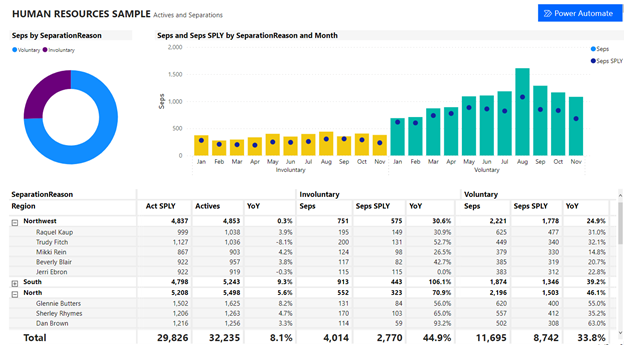
With Data Activator, you can trigger alerts and automatic actions directly from Power BI data, such as emails, Teams messages, or processes in Power Automate.
🔷 Why is this relevant for your company?
Reports become directly usable recommendations for action. Teams no longer need to check regularly – they are actively notified when thresholds are reached or exceeded.
Notebook-based pipelines for data flows
What’s new?
Microsoft Fabric enables the creation of data pipelines using Jupyter-like notebooks. This allows data to be pre-processed, transformed, and orchestrated – integrated into your fabric environment.
🔷 Why is this relevant for your company?
Data preparation is becoming more flexible and reproducible, especially for data engineers using Python or Spark. This makes it easier to transfer between teams and systems.
OneLake Shortcuts: Integrate Azure & AWS Data Sources Directly
What’s new?
With OneLake, data from Azure Data Lake or AWS S3 can be integrated via shortcuts – without copying or duplicating. The data is immediately available for reports or AI models.
🔷 Why is this relevant for your company?
Less redundant data storage, faster connection to external sources – and more control over the data flow. This saves storage costs and accelerates projects with multiple platforms.
When will you use your new advantage?
You’re already using Microsoft Power BI or Fabric – but are you taking advantage of all the new possibilities?
Book a short meeting with our team now – we will show you which functions have the greatest leverage for your processes and how you can activate them in a targeted manner!