


Microsoft Copilot is revolutionizing the way we work by using AI to automate and simplify everyday tasks in Microsoft 365 . This advanced, AI-driven assistant is deeply integrated into the Microsoft ecosystem and empowers users through a variety of applications to increase efficiency and productivity.
What is Microsoft Copilot?
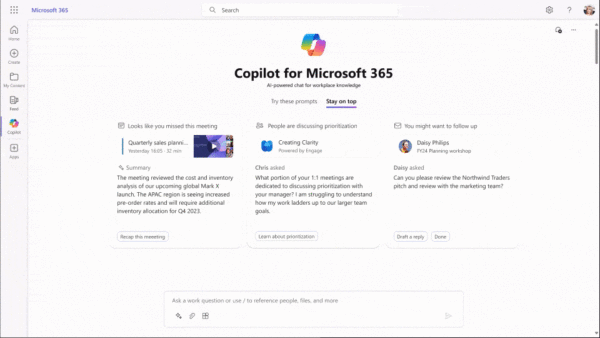
Microsoft Copilot is a powerful AI assistant specifically designed to help you in a wide range of Microsoft applications. It’s your personal helper that transforms the way you work through the following features:
-
Automatically create content in Word: AI helps you create documents faster by generating text suggestions based on the context you enter.
-
Data analysis in Excel: Ask questions in natural language to perform complex data analysis, identify trends, and automatically generate visuals such as charts.
-
Email management in Outlook: Copilot can analyze and prioritize your emails, help you respond to important messages faster, and provide summaries of long email chains.
-
Dynamic presentation creation in PowerPoint: The extension can use existing materials to create a presentation that highlights key points and is attractively designed.
Is Microsoft Copilot free?
There are two variants here:
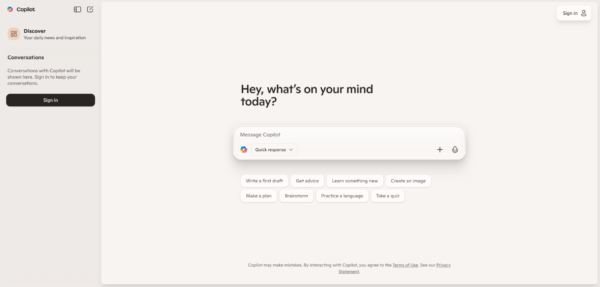
Microsoft Copilot (as an AI chat assistant) is generally available free of charge and can be used directly in the browser. This free version offers basic features and is ideal for individuals or small teams who don’t rely on the richer enterprise features.
Microsoft Copilot (as an extension to the Office applications) is not free. It’s part of Microsoft 365 subscriptions that are specifically designed for businesses and organizations. For individual users or smaller teams, it’s part of a paid package that includes more Microsoft Office applications and services.
How do I get Microsoft Copilot?
To use Microsoft Copilot, you need an appropriate Microsoft 365 subscription that includes Copilot features. After purchasing the subscription, you can activate and use the features in compatible Microsoft applications such as Word, Excel, PowerPoint, and Outlook.
Key features of Microsoft Copilot
Built-in AI capabilities
Microsoft Copilot is integrated with popular applications such as Word, Excel, PowerPoint, Outlook, and Teams. Its main features include:
-
Text generation and editing: Automatically create and enhance texts based on contextual understanding.
-
Data analysis and reporting: Advanced data analysis capabilities in Excel, including the creation of pivot tables and graphs on simple voice queries.
-
Email Management: Automate email management in Outlook by merging email threads and generating suggested responses.
Developer support
Integration with GitHub expands the possibilities for developers with AI-driven code suggestions that increase productivity and improve the quality of work.
Teamwork and communication
In Microsoft Teams, Copilot makes it easy to organize meetings, summarize discussions, and suggest action items to streamline teamwork.
Further development and future plans
Microsoft is committed to evolving Copilot to offer custom and even smarter AI experiences. Future updates could include features such as Internet of Things (IoT) integration, multilingual support, and deep personalized customizations that make Copilot an even more powerful tool in a globalized world of work.
Conclusion
Microsoft Copilot will play a key role in the future world of work. It not only offers support through AI and automation, but is also embedded in the widely used world of Microsoft applications. Soon, your company will no longer be able to avoid using Copilot’s AI features – so what are you waiting for? Be at the forefront and contact us for a non-binding conversation!


