



Don’t just chat, let us do the operative work for you.

Bereit, Arbeit neu zu organisieren? Mit Copilot Agents wird aus KI-Unterstützung echte Ausführung
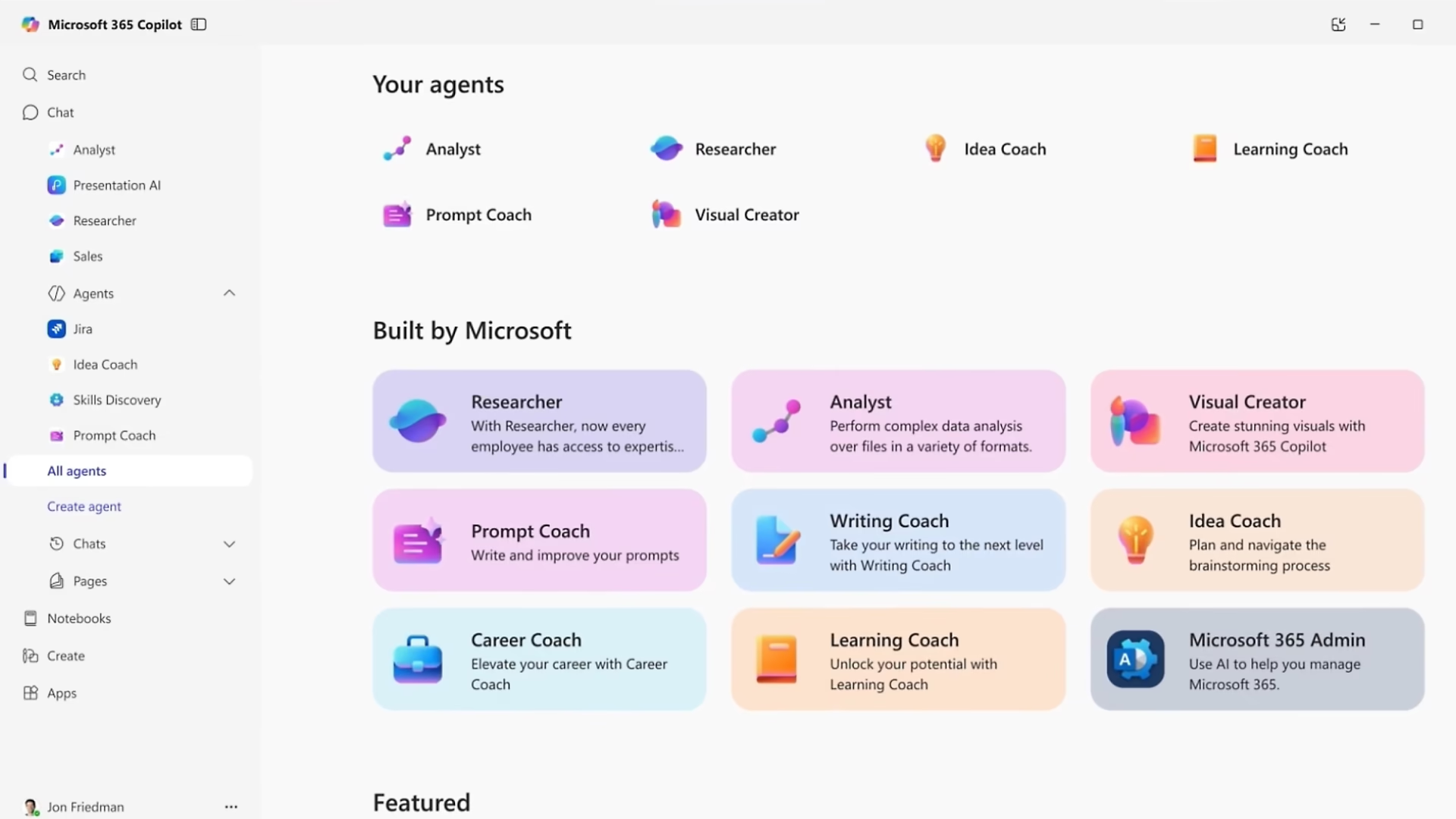
Microsoft Copilot Agents sind spezialisierte KI-Assistenten für klar definierte Aufgaben, Fachbereiche und Geschäftsprozesse. Sie können Informationen aus Unternehmensquellen abrufen, Inhalte zusammenfassen, Zusammenhänge analysieren und – sofern vorgesehen – Aktionen wie das Versenden einer Nachricht, die Anlage eines Tickets oder die Aktualisierung eines Datensatzes ausführen.
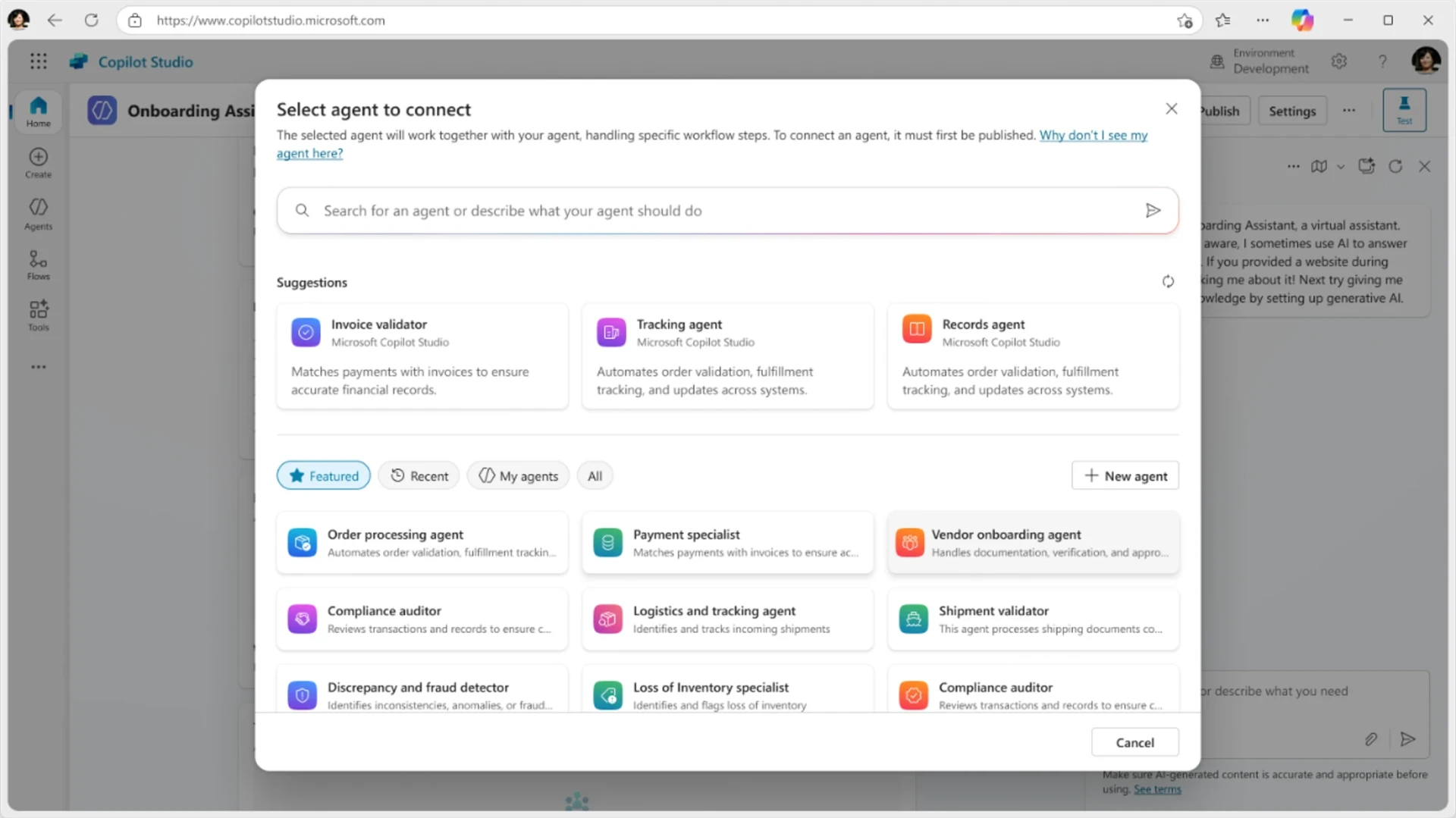
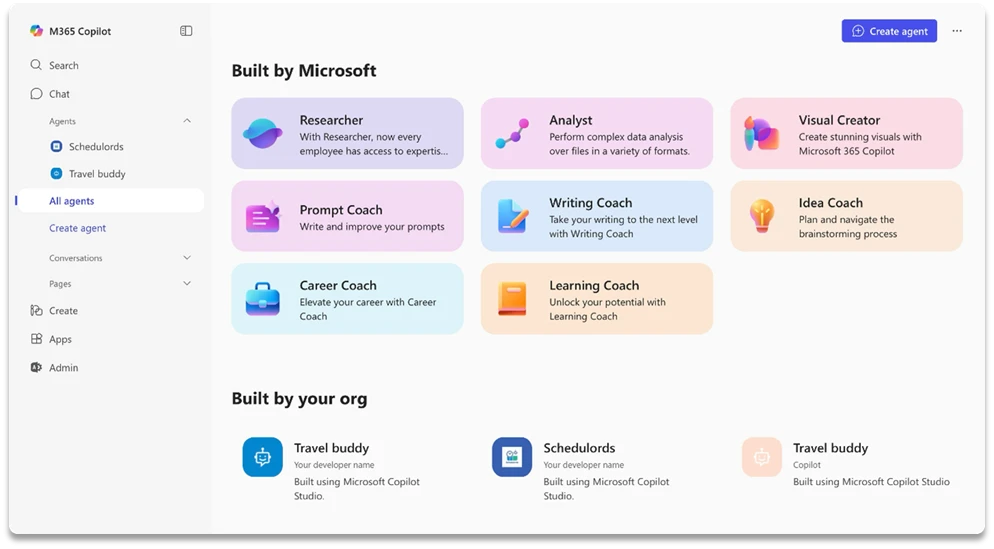
Unternehmen können sofort verfügbare Agents aus dem Microsoft 365 Agent Store einsetzen oder eigene Agents entwickeln, die auf ihre Prozesse, Richtlinien und Daten zugeschnitten sind. Einfache, wissensbasierte Agents lassen sich direkt für Microsoft 365 Copilot erstellen. Für komplexere Szenarien bietet Microsoft Copilot Studio eine grafische Low-Code-Umgebung, in der sich Wissen, Tools, Workflows und Geschäftslogik miteinander verbinden lassen.
Dabei reicht das Einsatzspektrum vom internen Wissens-Agenten über HR-, Finance-, Vertriebs- oder Service-Agents bis hin zu autonomen Prozess-Agents. Diese können auf definierte Ereignisse reagieren, Informationen bewerten und innerhalb vorgegebener Anweisungen und Leitplanken selbstständig Prozessschritte anstoßen.
Durch die Anbindung von SharePoint, Microsoft 365, Dynamics 365, Dataverse und weiteren Unternehmenssystemen greifen Agents auf den für ihre Aufgabe relevanten Kontext zu. Über vorgefertigte oder individuelle Konnektoren und APIs können sie nicht nur Antworten liefern, sondern auch Arbeit in den angeschlossenen Systemen ausführen.

Was können Microsoft Copilot Agents für Ihr Unternehmen tun?
81 %
der Führungskräfte erwarten laut dieser Studie, dass Agents innerhalb der nächsten 12 bis 18 Monate moderat oder umfassend in die KI-Strategie ihres Unternehmens integriert werden.
82 %
der Führungskräfte sagen, dass sie digitale Arbeit einsetzen, um die Kapazität ihrer Organisation in den nächsten 12 bis 18 Monaten zu erweitern (Quelle: Microsoft).
46 %
der Führungskräfte geben in dieser Studie an, dass ihr Unternehmen Agents bereits zur vollständigen Automatisierung von Workstreams oder Geschäftsprozessen einsetzt.
OUR CUSTOMERS
DIGITAL EXCELLENCE FOR SUSTAINABLE GROWTH






























Microsoft Copilot Agents Lösungsüberblick

Ihre Vorteile durch Microsoft Copilot Agents
Unternehmenswissen gezielt nutzbar machen
Copilot Agents stellen Informationen nicht nur über eine allgemeine Suche bereit. Sie werden für ein bestimmtes Fachgebiet oder einen klar definierten Prozess konfiguriert und können dafür relevante Inhalte aus SharePoint, Microsoft 365 und angebundenen Geschäftssystemen verwenden.
Von der Antwort zur ausgeführten Aufgabe
Agents can go beyond pure text generation. With the help of tools, connectors and workflows, they can create tickets, update records, forward information or start downstream processes.
Prozesse flexibel automatisieren
Traditional workflows are reliable, but they quickly reach their limits when it comes to unstructured information and unexpected situations. Agents complement these processes with contextual understanding and flexible decision logic, while workflows ensure the controlled execution of defined process steps.
Schneller vom Use Case zum Pilotprojekt
Copilot Studio allows you to create agents via natural language and a low-code graphical interface. This enables business departments, IT and development departments to jointly design, test and gradually expand solutions.
Leistungsmerkmale von Microsoft Copilot Agents – vom spezialisierten Assistenten bis zur Prozessautomatisierung
Microsoft offers different ways to deploy and develop agents. Which architecture is suitable depends on the user group, the data required, the actions to be performed, the desired channels and the security requirements.
Aufgaben automatisieren
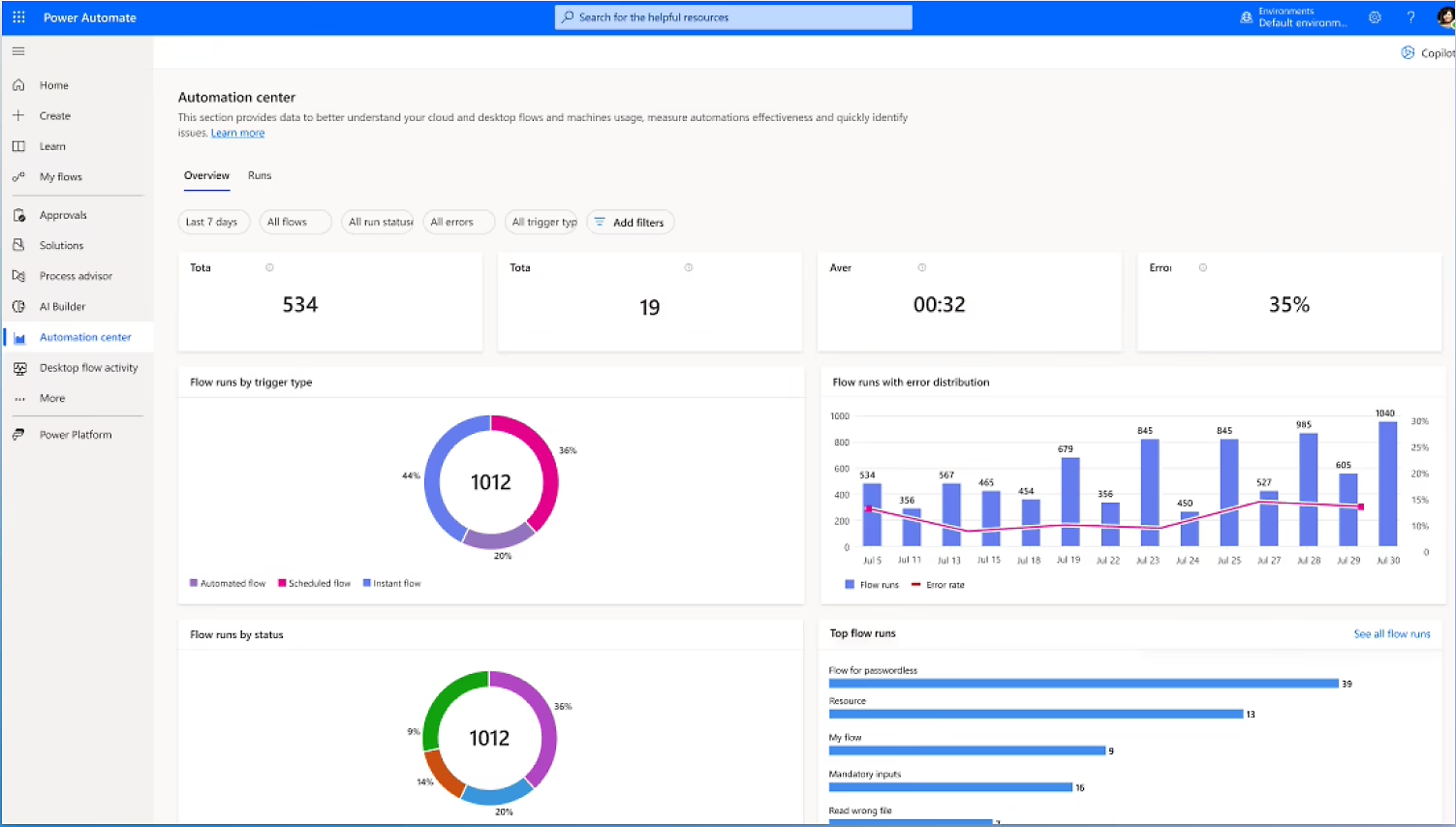
Copilot agents take on recurring tasks, answer inquiries and carry out defined process steps independently. With Copilot Studio, you can create conversational or autonomous agents and tailor them to your business needs.
Erfahren Sie mehr über:
Microsoft Copilot Agents
Daten analysieren und Entscheidungen vorbereiten
Copilot agents analyze company data, recognize correlations and prepare relevant information for decisions. Knowledge, connectors, prompts, and workflows connect your agents to the data sources and business systems they need.
Erfahren Sie mehr über:
Microsoft Copilot Agents
Agents in Ihre Arbeitsabläufe integrieren
Deploy Copilot agents directly to Microsoft 365, Teams, SharePoint, sites, or custom applications. This means that information, automations and recommendations for action are available exactly where your employees need them.
Erfahren Sie mehr über:
Microsoft Copilot Agents
Agents sicher verwalten und optimieren
Centrally monitor the usage, quality, and performance of your agents. Copilot Studio helps you continuously improve agents, protect corporate data, and scale successful solutions across the enterprise in a controlled manner.
Erfahren Sie mehr über:
Microsoft Copilot Agents

START NOW
BOOK AN APPOINTMENT WITH OUR TEAM
We are only as far away as your phone!
Our team will be happy to assist you at any time by phone, e-mail or via our online form. We look forward to hearing from you!
Häufig gestellte Fragen (FAQ)
A copilot agent is a specialized AI assistant for specific tasks, areas of knowledge, or business processes. Depending on the configuration, it can retrieve and summarize information, process requests or carry out specific actions via connected tools.
Microsoft 365 Copilot ist die übergreifende KI-Erfahrung innerhalb von Microsoft 365. Ein Agent erweitert diese Erfahrung um spezialisierte Anweisungen, ausgewählte Wissensquellen und gegebenenfalls Tools für einen bestimmten Anwendungsfall.
Agent Builder is best suited for quickly created, focused agents within Microsoft 365, while Copilot Studio is intended for more extensive scenarios where additional data sources, actions, workflows, custom connectors, autonomous execution, or additional publishing channels are required.
Ja. Agents in Copilot Studio können auf Ereignisse reagieren und mithilfe definierter Anweisungen, Trigger und Leitplanken selbstständig Prozessschritte ausführen. Abhängig vom Risiko des jeweiligen Prozesses können menschliche Prüf- oder Freigabeschritte integriert werden.
Mögliche Quellen sind unter anderem SharePoint, Microsoft 365, Dynamics 365, Dataverse sowie externe Systeme, die über Copilot Connectors, Power Platform Connectors, individuelle Konnektoren oder APIs erreichbar sind. Die konkret verfügbaren Funktionen hängen von Architektur, Lizenzierung und Konfiguration ab.
Copilot-Studio-Agents können je nach Agent-Typ unter anderem in Microsoft 365 Copilot, Microsoft Teams, Websites, mobilen Anwendungen und weiteren Messaging- oder Anwendungskanälen veröffentlicht werden.
Microsoft provides Microsoft Entra authentication, Power Platform data policies, admin controls, security status, Microsoft Purview features, and Microsoft Agent 365, among other things. The controls required should be determined individually for each agent use case based on the data and actions used.
Das hängt vom Szenario ab. Eine Microsoft-365-Copilot-Lizenz erlaubt die Erweiterung von Microsoft 365 Copilot mit Agents. Eigenständige, autonome oder über externe Kanäle bereitgestellte Agents werden typischerweise über Copilot Studio und verbrauchsbasierte Copilot Credits lizenziert. Eine konkrete Lizenzprüfung sollte Bestandteil der Konzeption sein.