Rising costs, high interest rates, and volatile markets make liquidity a critical factor. Every incoming payment can determine whether projects are carried out or postponed.
Many companies still rely on traditional management tools that, at best, provide a static overview. They show where the company stands today—but not how cash flows will develop tomorrow. It is precisely this gap that poses a danger: investments can stall, financing becomes more expensive, and growth falls short of its potential. This is where Dynamics 365 Business Central comes into play: With automated cash flow forecasts, risks become visible early on, opportunities can be capitalized on—and decisions become clearer.
The weaknesses of traditional liquidity planning
Many companies still rely on tools that are more about managing than controlling. The problem:
-
Static view – they show only the current status, not the trend.
-
Significant manual effort – data must be collected and verified on a regular basis.
-
No scenarios —potential payment delays or investments are not taken into account.
-
Lack of integration – Financial data is often separated from projects, budgets, or bank accounts.
The result: Decisions are based on snapshots—not on a well-founded forecast.
How Business Central Automates Cash Flow Forecasts
Many systems provide only a snapshot—Business Central goes further. The ERP system integrates finance, procurement, projects, and bank accounts into a single dashboard. This provides a comprehensive view of liquidity and future cash flows—automatically, seamlessly, and in real time.
-
All data sources in one system
Accounts receivable and accounts payable, budgets, outstanding invoices, and planned investments are automatically included in the forecast. -
Automatic Updates Changes in accounting, purchasing, or projects are immediately reflected in the cash flow calculation—no manual reconciliation is necessary. -
Scenarios at the click of a button
“What happens if a major customer pays late?” – Business Central shows the impact immediately and highlights bottlenecks early on. -
Visual clarity
Dashboards and charts illustrate how revenue, expenses, and cash flow are trending. This makes it easy to spot trends and make informed decisions with management or financial institutions.
The result: dynamic management intelligence instead of static tables—with forecasts that are as up-to-date as your business.
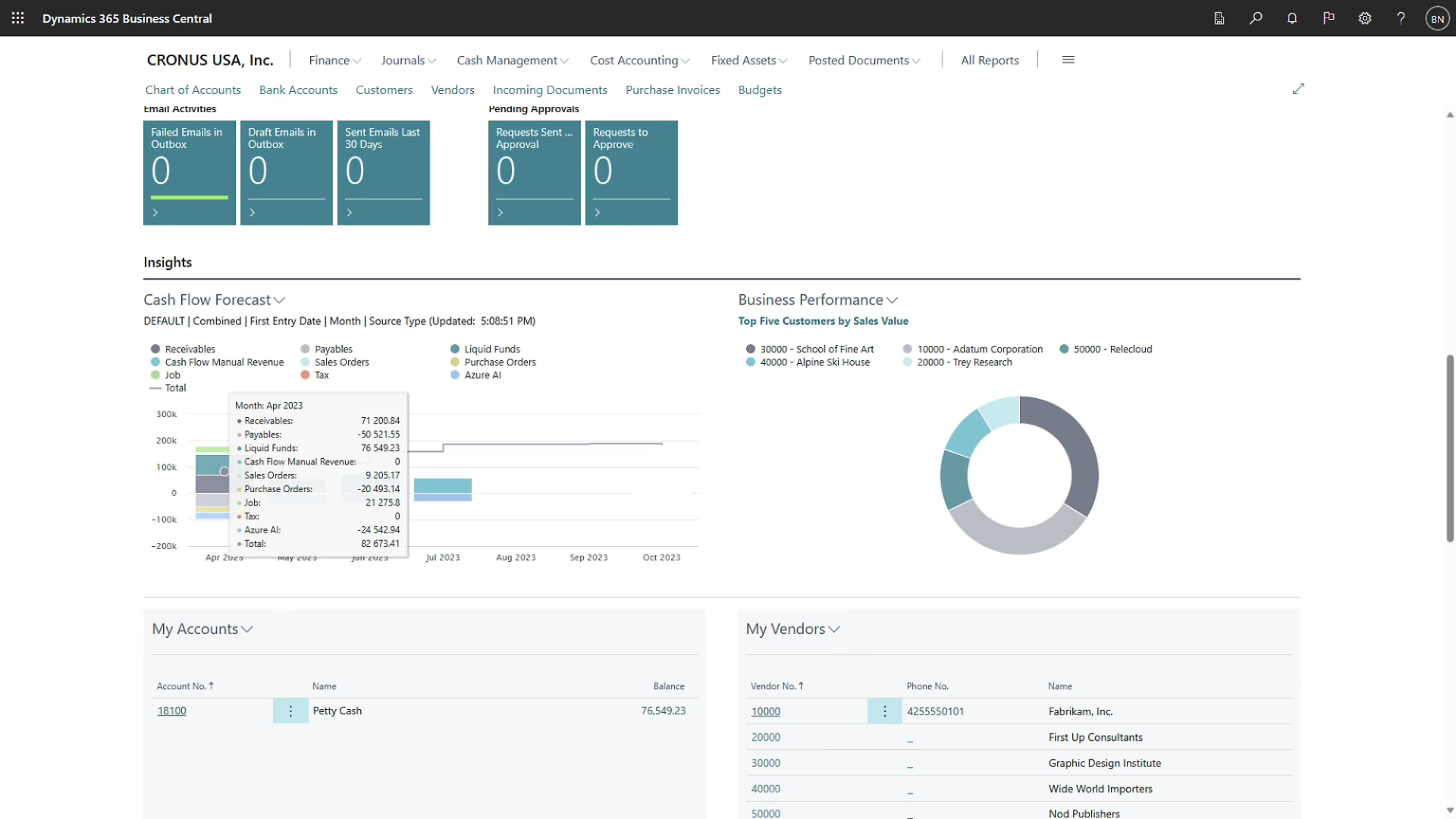
Step-by-Step Guide to Creating a Cash Flow Forecast in Business Central
Setting up a cash flow forecast in Business Central is clearly structured and tailored to day-to-day business operations:
-
Configure Setup
In the Cash Flow module, you define the relevant data sources—from accounts receivable and accounts payable to budgets and bank accounts. -
Integrate cash flows
Outstanding invoices, recurring payments, and planned investments are automatically integrated, ensuring that no item is overlooked. -
Calculate a forecast
With just one click, Business Central generates a liquidity forecast for the coming weeks or months—up-to-date, accurate, and transparent. -
Run through scenarios
Whether it's late customer payments, rising costs, or new investments, Business Central immediately simulates the effects and shows possible courses of action. -
Visualize Results
Dashboards and reports provide clear visuals that highlight trends—perfect for management meetings or meetings with bank representatives.
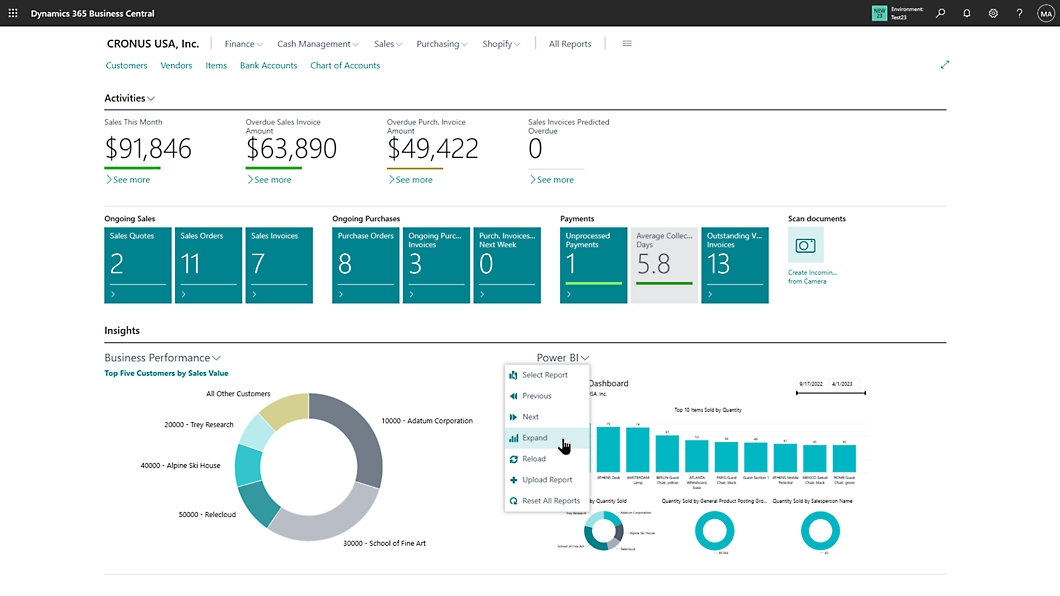
Business Value: Why Cash Flow Forecasts in Business Central Are More Than Just Numbers
An automated forecast not only provides transparency, but also changes the way companies make financial decisions:
-
Planning Certainty for CFOs and Management
Investments, projects, and personnel decisions are made based on valid forecasts—not on uncertain assumptions. -
Risk Early Warning System Potential bottlenecks are identified early on, allowing measures to be taken in a timely manner. -
A Stronger Position with Banks and Investors
Being able to provide up-to-date forecasts at any time builds trust and secures better terms. -
More Efficient Use of Liquidity
Available funds can be targeted to finance growth and capitalize on opportunities more quickly. -
Sustainable Competitiveness
Companies that actively manage their cash flows are more resilient and agile than their competitors.
In short: Business Central turns cash flow planning into a strategic management tool—and turns uncertainty into clarity.
Conclusion: Financial stability requires foresight
In an uncertain economic environment, the quality of liquidity planning determines stability and growth. Traditional tools only provide historical data—Business Central, on the other hand, makes cash flow manageable: automated, integrated, and always up to date.
This gives you a real competitive edge—through greater planning certainty, stronger negotiating positions, and the ability to actively seize opportunities rather than miss them.
👉 Let’s take 15 minutes to discuss how cash flow forecasts in Business Central can help secure your financial planning.